





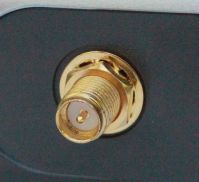
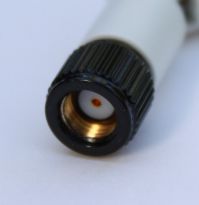
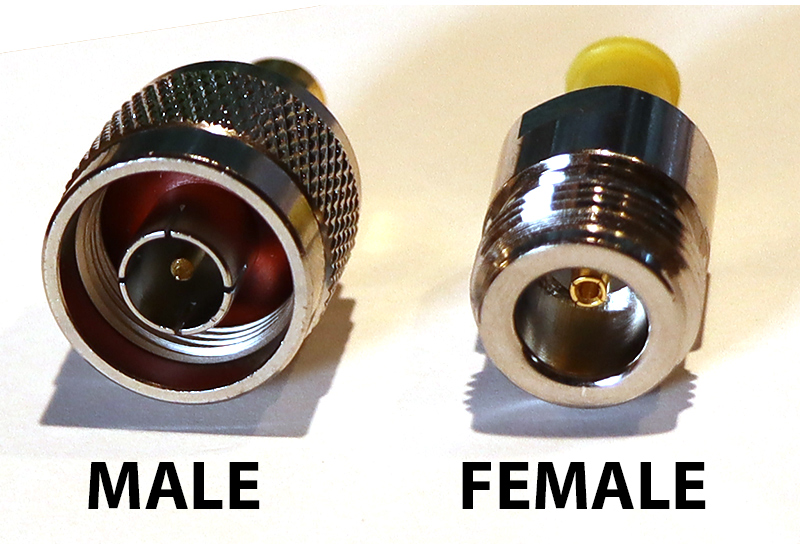
 Female RP-SMA Connector on a Router
Depending on where you are, signal strength can be an issue for the Mobile broadband modems and you may need to find a way to boost your signal.
The easy way to increase signal strength is to put the USB stick on a USB cable and hang it up high. Unfortunately these little suckers need a fair bit of power - they will use any last drop of power that your USB buss can deliver. If you use a USB cable over 2m, or a bad quality cable, the voltage drop is enough to give you unreliable results. I've also tried using powered USB extension cables (5m), however the reliability is still suspect. There is only 500Ma available per USB2.0 port, and a powered USB extension cable only takes more power away from the USB Modem.
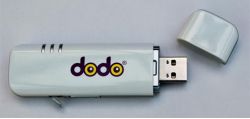
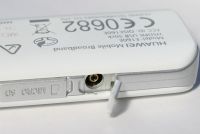
However most of the better modems have a small antenna socket on them. At the time of writing this FAQ, Vodaphone, 3, Optus and Dodo have been using the Huawei E160 wireless USB modem with a CRC9 anntena connection. Telstra and their Serria modems are a similar looking TS9 antenna connection.
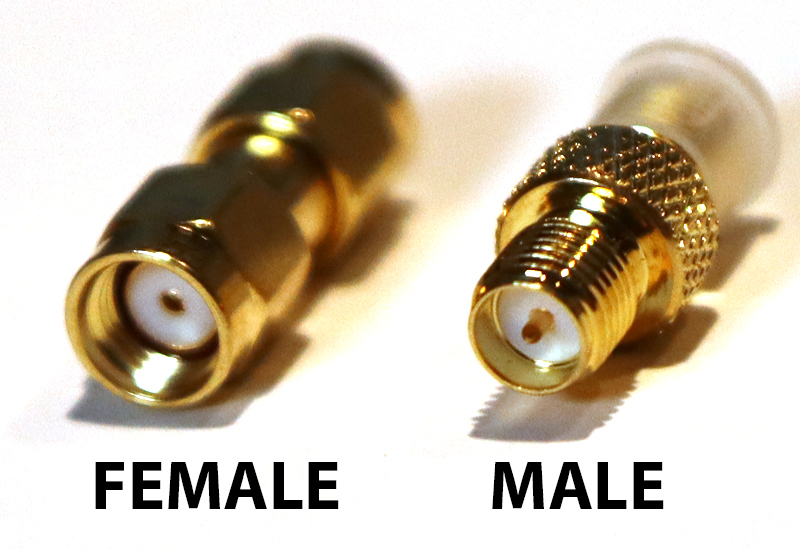
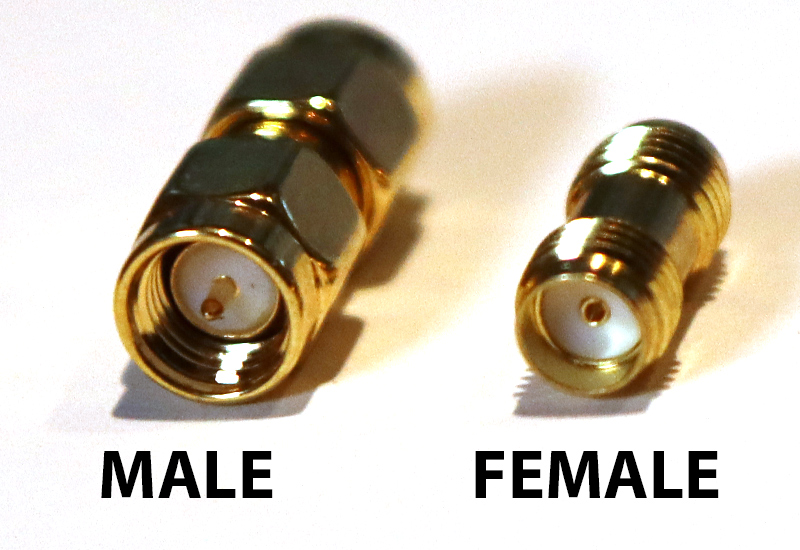
Using this antenna socket, you can attach various external antennas. 3G Antennas for 2100MHz are best, but WIFI will attennas will still work. The common connection on the small antennas is the RP-SMA - so you will need a CRC9 (or TS9) to RP-SMA adaptor.
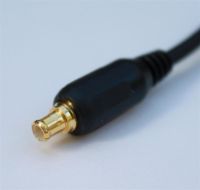
(Note: There is also a MC connector around - the MC plug is smaller again - but we haven't come across these yet)
The Hauawei E160 modems also have several speed modes. The LED changes colour depending which mode it is working on:
- Cyan: HSDPA - 14 Mbit/s (Fastest)
- Blue: WCDMA - 2 Mbit/s (Medium)
- Green: GPRS - 115 kbit/s (Slow)
If the mode is frequently changing, your connection may become unstable. You can set a preferred mode via the software that comes with the modem.
Radio Frequencies
It is good to know about the transmission frequencies when selecting your antenna. In Australia the 3G frequencies is 2100MHz and GSM is 1800MHz and 900MHz. 3G is the faster band available in city centres, GSM 900 is more availabe in regional area. (US Cellphone frequencies are different).
WIFI antennas, like those attached to your wireless ADSL router, are 2400MHz. These still seem to work ok for 3G modems.
| WIFI | 2.4GHz |
| 3G | 2.1GHz (in Australia) |
| GSM1800 | 1800MHz (in Australia) |
| GSM900 | 900Mhz (0.9GHz) (In Australia) |
| TV UHF | 500 - 800MHz |
| TV VHF | 45 - 230MHz |
| FM Radio | 88 - 108Mhz |
| AM Radio | 0.5 - 1.6MHz |
The Higher the Frequency - the greater the attenuation.
For a Chart of Australian frequencies -  Australian Frequency Chart
Cable
Due to the high frequecies of 3G and WIFI, ordinary TV cable isn't really suitable. If you use TV cable, you could find that you'll loose a lot of signal strength per meter. The Low Loss RF cables are the way to go, their shielding is tighter.
Recommendation:
- Long Runs, over 6m: LMR-400 (~10mm OD black Rigid cable).
- Mid Runs, 3m - 6m: LMR-195 (Loss 0.6dB/m @ 2400Mhz) or RG58(0.8dB/m @ 2400Mhz). 5mm OD black Flexible.
- Short Runs, less than 3m: RG136 (thin cable, clear wrap, copper brade, Flexible). Loss 1.36 dB/m @ 2400Mhz.
A Cable attenuation Calculator is here http://www.timesmicrowave.com/cgi-bin/calculate.pl
| Attenuation (dB per 30m) | ||||||||||||
| MHz: | 30 | 50 | 100 | 146 | 150 | 440 | 450 | 900 | 1000 | 1500 | 2100 | 2400 |
| RG-174 | 5.5 | 6.6 | 8.8 | 13.0 | 25.0 | 30.0 | 75.0 | |||||
| LMR-100A | 3.9 | 5.1 | 8.8 | 8.9 | 15.6 | 15.8 | ||||||
| RG58 | 2.5 | 3.2 | 4.6 | 5.7 | 9.9 | 14.5 | 15.4 | 19.2 | 23 | 25 | ||
| LMR-195 | 2.2 | 2.8 | 4 | 4.9 | 8.5 | 12.3 | 13 | 16.1 | 19.2 | 20.6 | ||
| RG316 | 4.4 | 5.6 | 8 | 9.8 | 17 | 25 | 26.1 | 32.4 | 38.7 | 41.5 | ||
| LMR-200 | 1.8 | 2.3 | 3.9 | 4.0 | 6.9 | 7.0 | 16.5 | |||||
| RG59 | 2.4 | 3.5 | 7.6 | 12.0 | ||||||||
| RG8X | 2.0 | 2.1 | 3.0 | 4.5 | 4.7 | 8.1 | 8.6 | 21.6 | ||||
| LMR-240 | 1.3 | 1.7 | 3.0 | 3.0 | 5.2 | 5.3 | 12.7 | |||||
| LMR-240 Ultra | 1.3 | 1.7 | 3.0 | 3.0 | 5.2 | 5.3 | 12.7 | |||||
| RG8/U FOAM | 1.2 | 1.8 | 7.1 | |||||||||
| RG213 | 1.5 | 2.1 | 2.8 | 2.8 | 5.1 | 5.1 | 8.2 | |||||
| RG214 | 1.2 | 1.6 | 1.9 | 2.8 | 2.8 | 5.1 | 5.1 | 8.0 | 13.7 | |||
| LMR-400 | 0.7 | 0.9 | 1.5 | 1.5 | 2.7 | 2.7 | 6.6 | |||||
| LMR-400 Ultra | 0.7 | 0.9 | 1.5 | 1.5 | 2.7 | 2.7 | 6.6 | |||||
| 9086 | 1.4 | 2.8 | 2.8 | |||||||||
| 9913 | 0.8 | 1.5 | 2.8 | 7.5 | ||||||||
For more cable ratings and specs, see:http://www.bcar.us/cablespec.htm
Connectors:
RP-SMA Connectors are good for 5mm coax and below and are more commonly used for our purpose. They are rated to 18GHz.
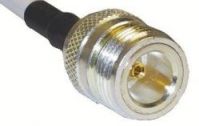
The N connectors are usually used for 5mm coax and above. They are good for up to 12.5GHz. Larger antennas usually have a N Female connector.
F connectors (used commonly for TV cable) are only good for 1GHz, so although they are great for TV - they aren't good for WIFI or 3G.
More Info:
- Wikipedia - SMA Connector
- Wikipedia - HSDPA
- Whirlpool Antenna forum
- About Cellphones - Glossary
- Common Wireless Connectors
- Wikipedia - Coaxial cable
Telstra Notes
The info below is unoffical - we are sharing these notes for our reference - and because the info on Telstra's webpage is limited. Maybe this info will help you too - but use it at your own risk. Call Telstra on 1800 220 033 to confirm the info below.
Telstra plans differ from Bigpond ones. SIM cards from the Bigpond devices will not allways work in Telstra hardware.
As Tested 2013: a SIM from the Bigpond 4G USB device will not work in a Telstra 3G Prepaid modem!
A lot of Telstra mobile devices use the TS9 socket. Its looks very similar to the CRC9, but it is aslightly a different size.
These devices do have external Antenna Ports...
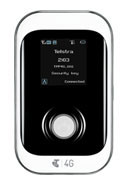 |
Telstra Prepaid 4G Wifi WIFI Hotspot: Yes Antenna Connection: TS9 Battery: Yes |
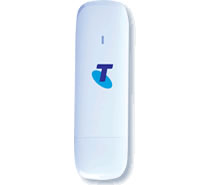 |
Telstra Prepaid USB 3G WIFI Hotspot: No Antenna Connection: Yes Battery: No |
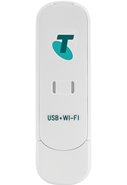 |
Telstra Prepaid USB + Wifi WIFI Hotspot: Yes Antenna Connection: Yes Battery: No |
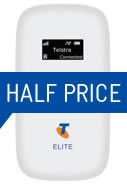 |
Telstra Elite Mobile Wi-Fi WIFI Hotspot: Yes Antenna Connection: TS9 Battery: Yes |
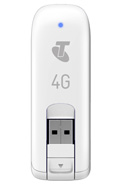 |
Telstra 4G Prepaid Mobile Broadband WIFI Hotspot: No Antenna Connection: unknown? No? Battery: No |
Telstra Prepaid plans can be found here...
https://www.telstra.com.au/online-shop/mobile-broadband.cfm#/prepaid
The Sierra/NetGear AirCard 3G
|
|
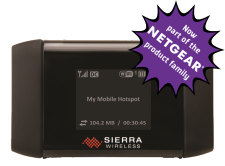
This little beauty was a former Telstra devices before they ditched it in ~2013 for Huawei.
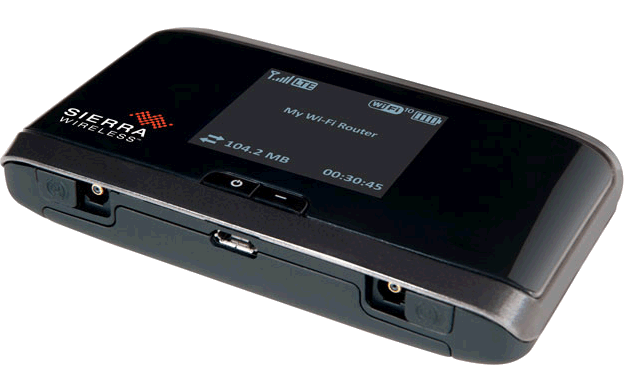
Netgear aquired Sierra Wireless, Inc in 2013. They come with two TS9 arial sockets. If only using one Antenna- plug into scoket #1.
WIFI Hotspot: Yes Antenna Connection: TS9 (x 2) Battery: Yes |
More Info on the AirCard:
http://www.netgear.com/landing/aircard/index.html
The Sierra/NetGear AirCard 760S 4G LTE
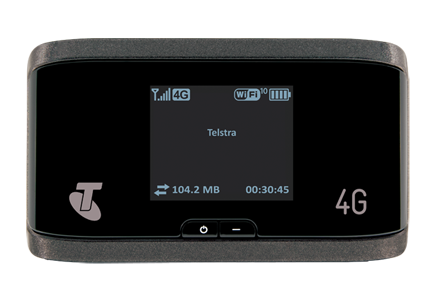 An update to the 3G Aircard. Works much the same...
 AirCard_760S_Mobile_Wi-Fi_Booklet.pdf
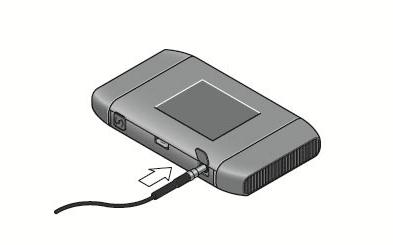
The 760S has two TS-9 antenna connectors for LTE MIMO capability. For a single Antenna - use port 1.
Netgear's link to this product is here (while it lasts)...
- http://www.netgear.com.au/service-providers/products/mobile/mobile-hotspots/760s.aspx
- http://support.netgear.com/product/AirCard%2B760S%2B$28Telstra$29
Further Reading:
- Australian Mobile Network Frequencies: http://whirlpool.net.au/wiki/mobile_phone_frequencies
- http://telcoantennas.com.au/site/guide-to-mobile-networks
- http://telcoantennas.com.au/site/guides