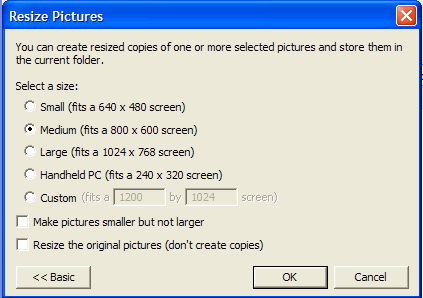
In the Windows XP days, Microsoft developed extra tools and called them "Power Tools". These tools were originally written for Windows XP, but sadly not all of the tools were ported over to Vista or Windows7. But fear not, some smart cookie has written Vista and Win7 versions.
These image resizer tools are must have for fast resizing images on the go ...
With this tool installed, using Explorer you can easily resize your images by hovering over your images and right clicking the mouse.
This popup menu should appear...
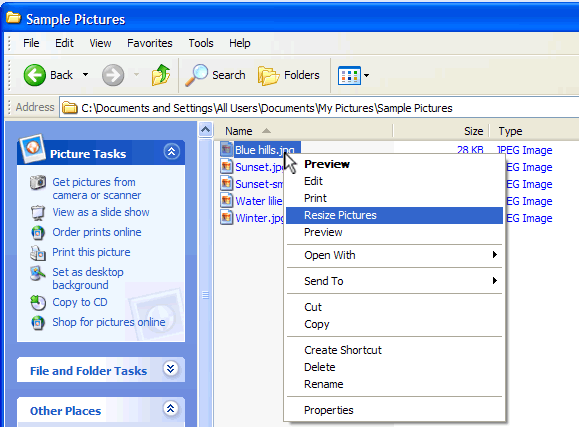
You can select multiple images (with the shift or ctrl key) and do a big batch of photos in one go.
Medium (800x600) is usually the largest size we would use for websites. Don't forget, you have to think about the vistors internet speeds (not your own). If they have a slow internet connection, it will take longer for them to see your image, and they may give up and leave your site.